
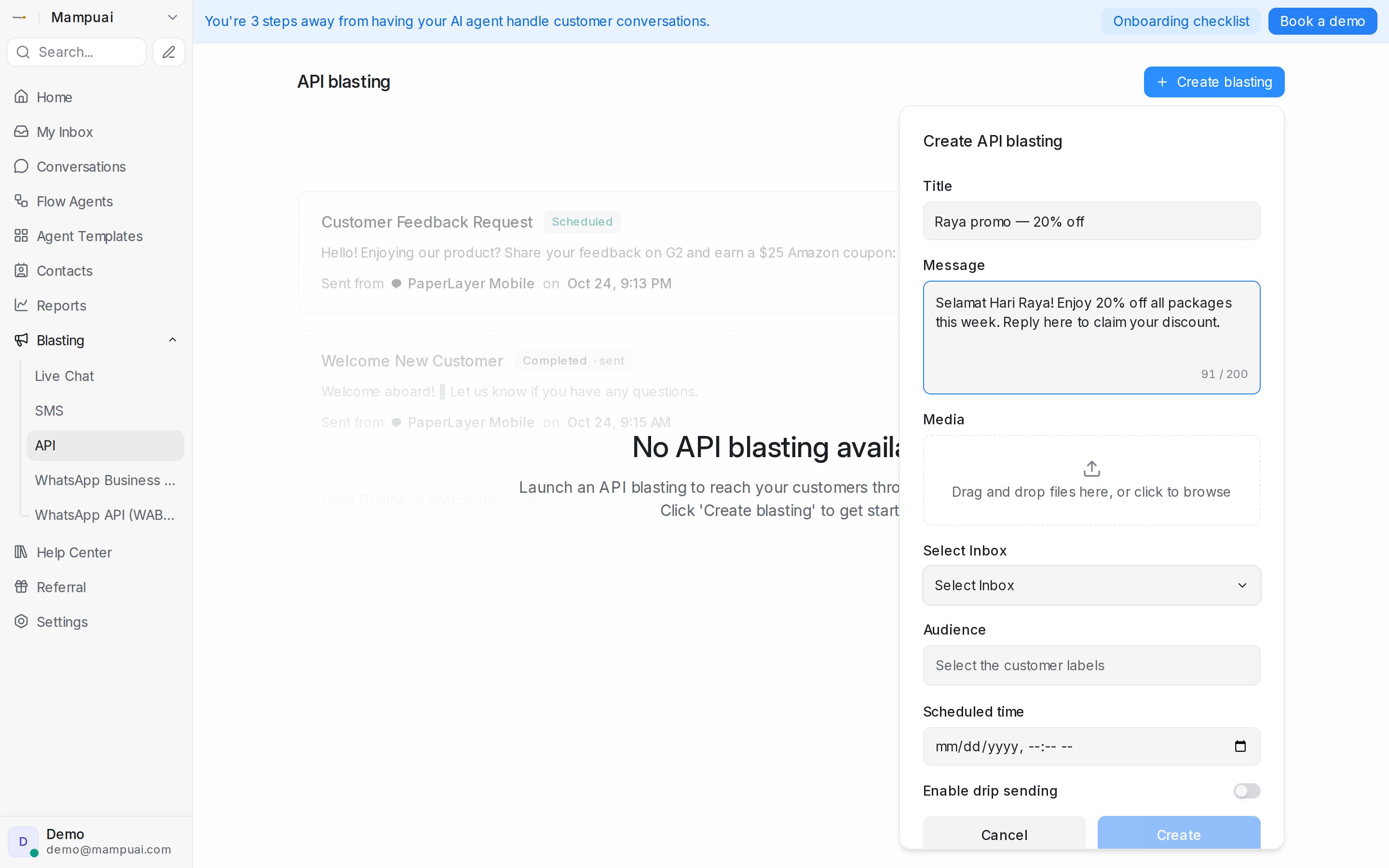
To launch a blasting, open Blasting, pick the channel tab, and click Create blasting. In the form you’ll typically:
- Name it — the title is for your own reference; customers don’t see it.
- Select the inbox the messages will be sent from.
- Write the message — or, for WhatsApp API (WABA), select an approved WhatsApp Template and its language.
- Attach media (where available) — drag and drop images or files such as product photos, brochures, or price lists. The maximum size per file is 40MB.
- Select the audience — choose the customer labels that should receive it; the form shows a live count of how many contacts will receive the blasting.
- Pick the scheduled time — the blasting goes out at the time you choose, so you can prepare it now and send it later.
- Enable drip sending (optional, where available) — deliver the messages gradually instead of all at once.
Click Create and the blasting is saved and ready to go out at the scheduled time.
For live chat blasting the flow is slightly different: instead of an audience you set trigger conditions (such as the page URL and time on page), then enable it.