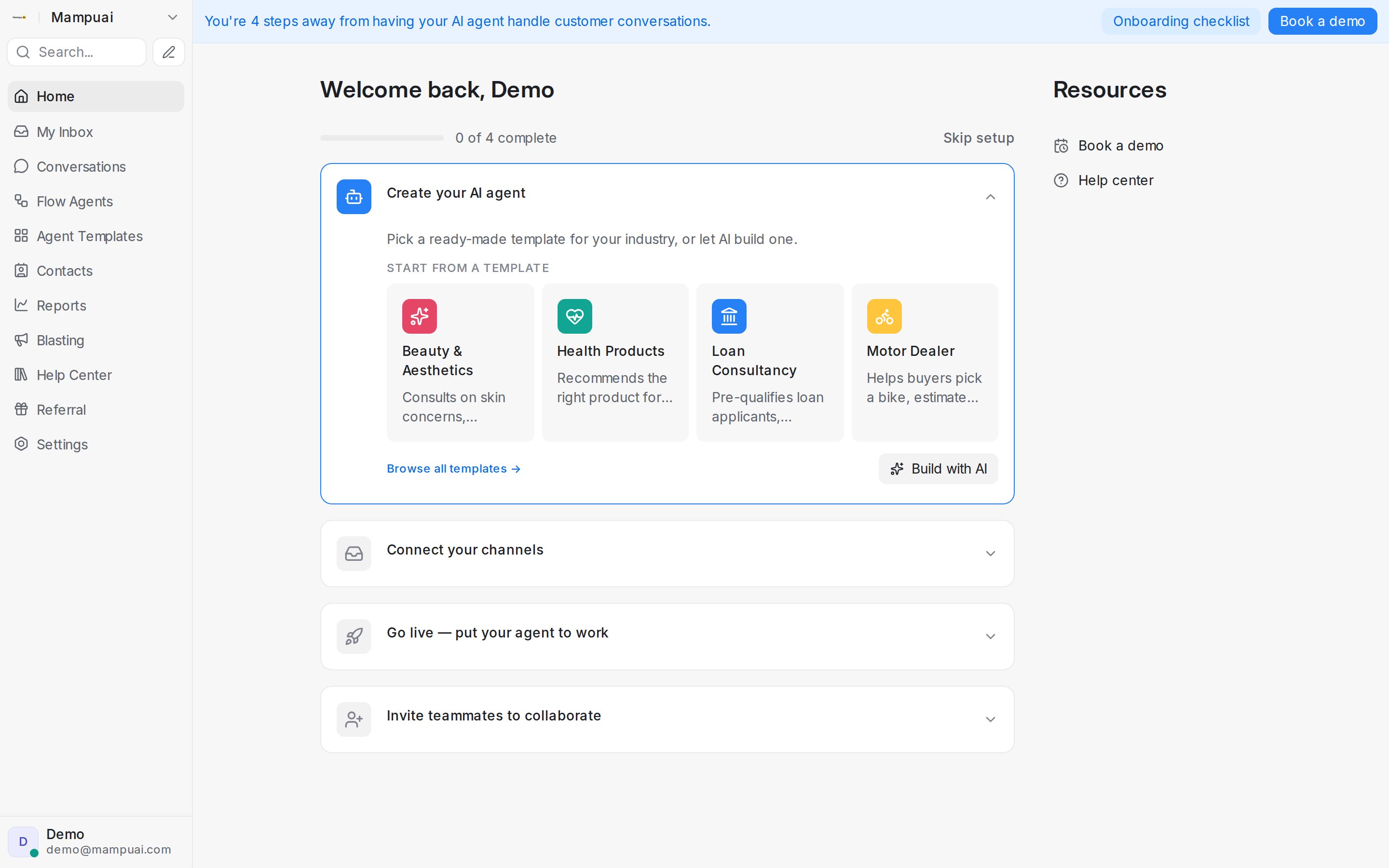
The left sidebar is your main navigation — each item opens a core area of the product:
- Home — setup checklist, quick actions, and What’s New updates
- My Inbox — conversations assigned to you
- Conversations — all customer messages
- Flow Agents — your AI agents, with the AI Knowledge Hub alongside (knowledge, FAQs, and the Calendar for appointments)
- Agent Templates — ready-made agents you can start from
- Contacts, Reports, Blasting, Help Center
- Referral — share your link and earn rewards
- Settings — account configuration
Reports and Settings open with a navigation column of their own inside the page, grouping related pages under category headers like Performance or Workspace so you can find the right section at a glance.
Use the search bar at the top to jump to a conversation or contact quickly.