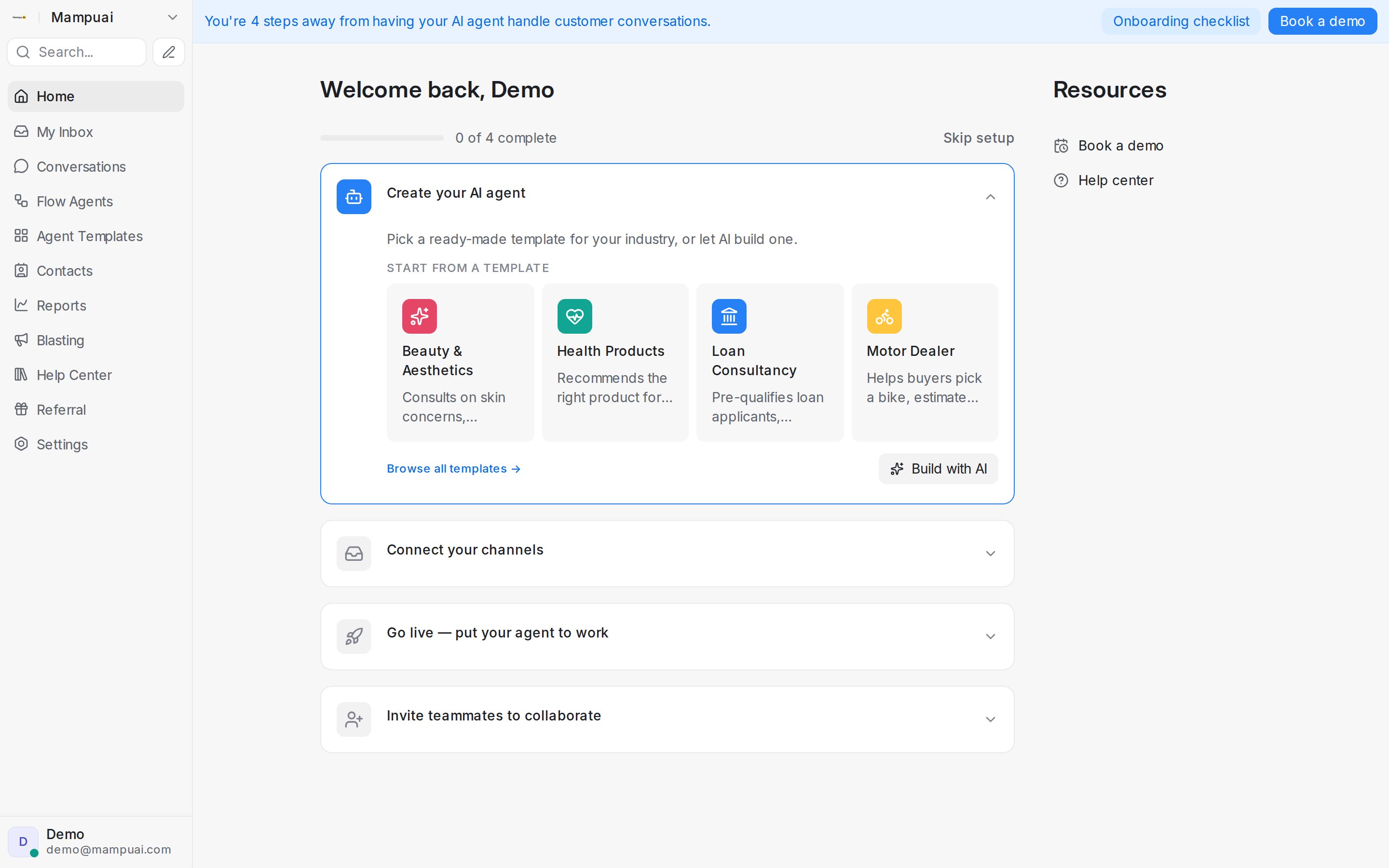
The Home screen is your starting point every time you log in. It greets you by name, shows how far along your setup is, and guides you through going live.
From here you can:
- Work through the setup checklist — expandable steps that take you from creating your AI agent to going live and inviting your team. Each step opens right on the page, so you can act without hunting through menus.
- Start from a template or build with AI — pick a ready-made agent template for your industry, or describe your business and let AI draft a conversation flow for you.
- Use the Resources panel — book a demo or open the help center if you need a hand setting things up.
- See what’s new — the What’s New cards surface the latest product updates, with the full list on the changelog page.
Use the left sidebar to move between the main areas of the product: Conversations, Flow Agents, Agent Templates, Contacts, Reports, Blasting, Help Center, and Settings.