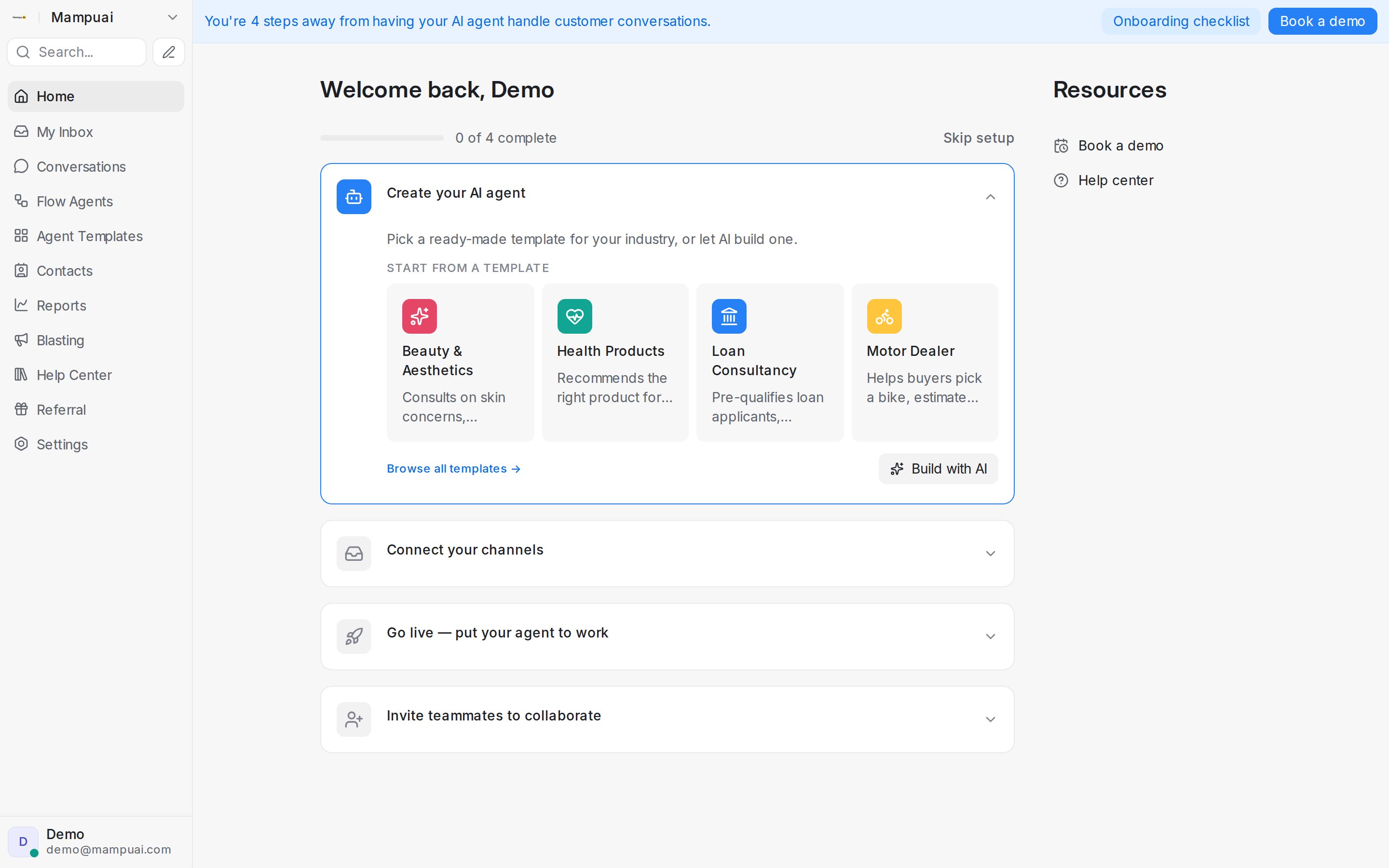
Right after you log in, the Home screen shows a setup checklist that takes your workspace live. Each step is an expandable card — click it to act right there, and your progress (“0 of 4 complete”) updates as you go.
- Create your AI agent — pick a ready-made template for your industry, or let AI build one from a short description of your business.
- Connect your channels — bring WhatsApp, Facebook, Instagram, Telegram, email, and your website chat into one shared inbox, so your agent can answer everywhere your customers are.
- Go live — put your agent to work — choose which inboxes your agent handles. It replies instantly 24/7, collects customer details, and hands off to your team when needed.
- Invite teammates to collaborate — add your team by email as agents or administrators, so no conversation is missed.
Until setup is complete, a reminder banner keeps the checklist one click away wherever you are. Prefer to configure things yourself? Click Skip setup.