
The Contacts section is the central directory of everyone who has interacted with your business.
Watch the walkthrough
For each contact you can store their name, email, phone number, and custom attributes, and see their full conversation history in one place.
From the contacts list you can:
- Search for a contact by name, email, or phone.
- Filter and sort to build segments.
- View details to open a contact’s profile and past conversations.
- Message a contact directly, or create and import new contacts.
- Select several contacts (or select all across pages) to act in bulk — for example, pausing the AI agent for everyone selected at once.
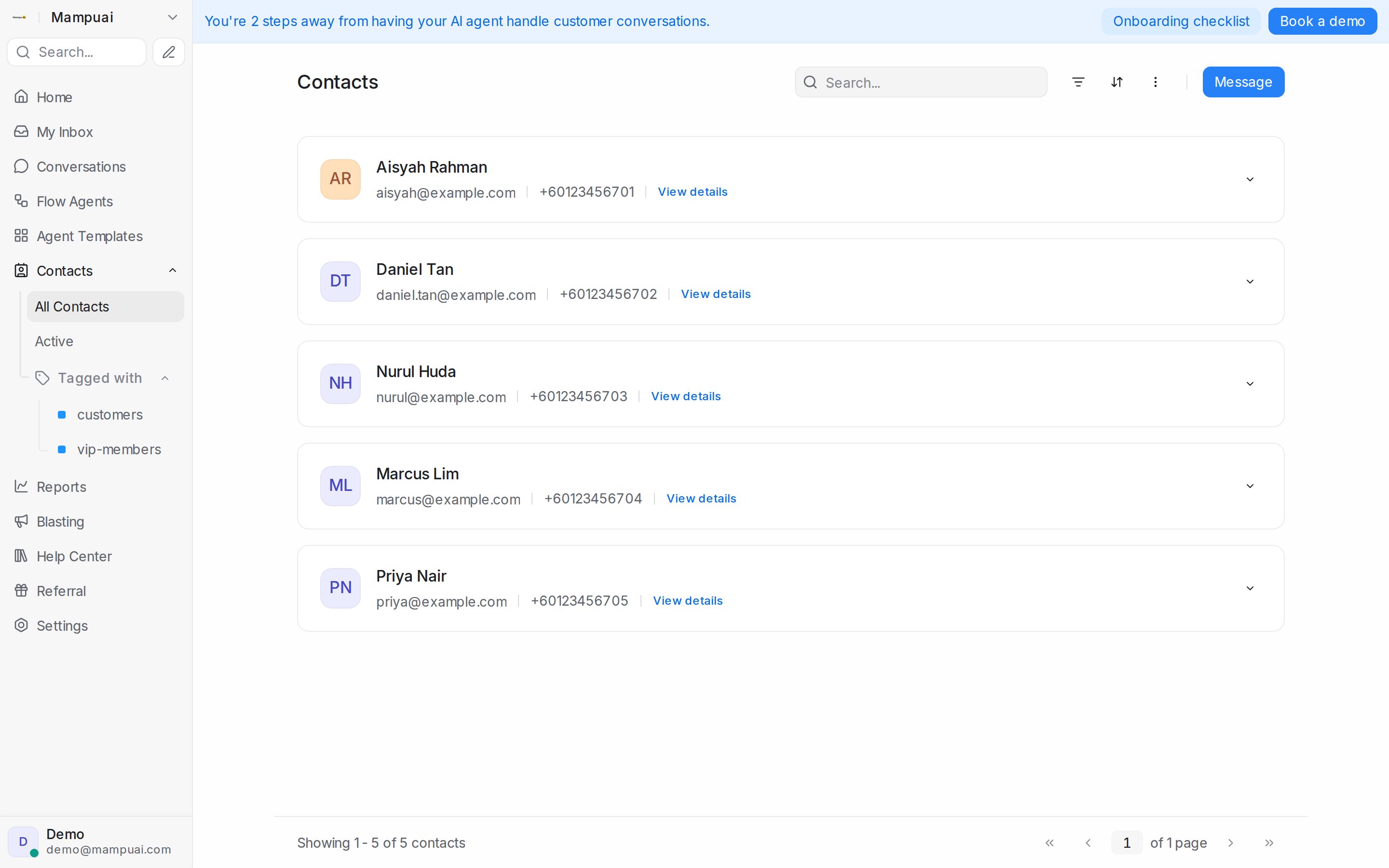
Finding contacts by label
The left panel lists your labels under Tagged with. Click a label to see everyone carrying it — contacts you labelled directly, and contacts whose conversations carry the label. Labelling a conversation is enough; you don’t have to label the contact separately.
Export contacts and Select all … contacts in this view follow the same list, so exporting or selecting everyone in a label view picks up exactly the people you see.
Monthly active contacts
Click Active in the left panel to open Monthly active contacts: everyone who counts towards this billing period’s monthly active contacts total, so you can see who they are. Select all … contacts in this view isn’t offered here, because the list changes as contacts become active. To learn what makes a contact count, see Monthly Active Contacts.