
The Help Center lets you publish a self-serve knowledge base, a public website of help articles, so customers can find answers on their own. The same articles can be offered inside your website chat widget, inserted into replies by your team, and used by your AI agent.
Watch the walkthrough
How it fits together
- A portal is one help site, with its own name, logo, colour, address and languages. You can run several, for example one per brand.
- Each portal has locales: the languages it is published in.
- Within a locale, categories group related articles, such as Getting Started or Billing.
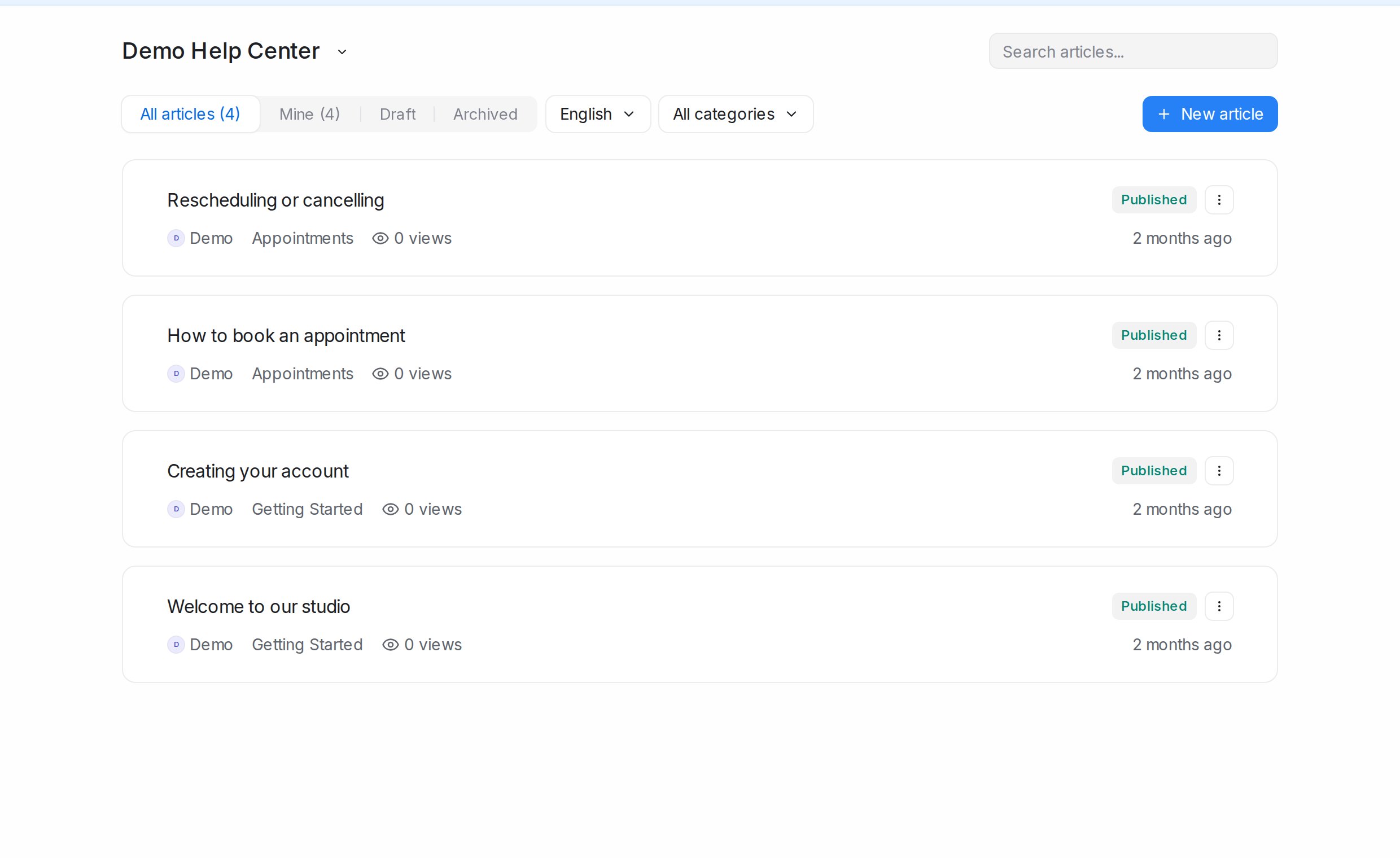
- Articles are the pages themselves, each Draft, Published or Archived.
Where to find it
Open Help Center in the sidebar. Its menu has Articles, Categories, Locales and Settings; the portal name at the top of each page switches between portals.
Your public address
Each portal is published at chat.sapot.ai/hc/ followed by its slug, for example chat.sapot.ai/hc/my-business, and you can move it to your own domain such as help.yourbusiness.com. See Locales and portal settings.
Using articles in conversations
- On accounts with article search in replies switched on, the article icon in the reply box opens Search articles so you can drop a link to an article into your reply.
- Under the inbox’s Settings tab, Help Center attaches a portal to a website widget so visitors can search articles before they write.